How WhatsApp Stays Always-ON
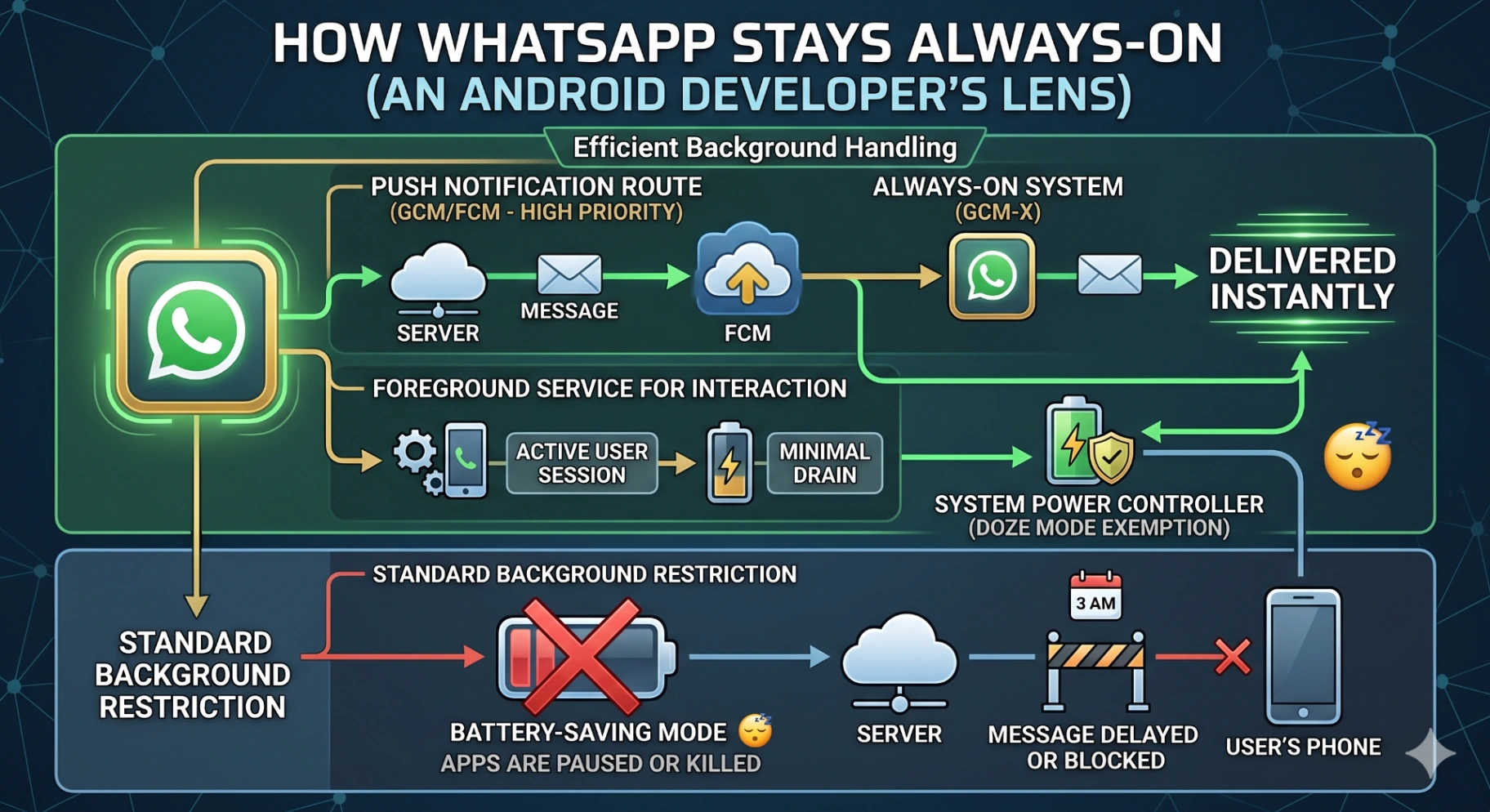
Ever sent a WhatsApp message at 3 AM and it delivered instantly, even though your friend's phone was asleep for hours?
Magic?
Nope.
It's just damn good Android system design.
Let’s pull back the curtain and see how WhatsApp (and apps like it) keep the “always-on” illusion — without burning your battery or fighting Android’s background restrictions.
1. The Myth of “Whitelisting”
There’s this urban legend:
“WhatsApp is whitelisted by Android. That’s why it never dies.”
Reality check: Not true.
WhatsApp plays under the same Doze and App Standby rules as your app. The difference? It doesn’t fight the system. It plays along.
“Me trying to keep my background service alive”
→ Android yeeting my process after 10 minutes
Meanwhile WhatsApp → “Sure boss, I’ll just wait for FCM .”
2. Content Observers: Silent Ninjas
Think about this: how does WhatsApp instantly reflect your contact’s new display name?
No, it’s not running a 24×7 background job.
It’s just… listening.
Using ContentObserver on the ContactsContract, WhatsApp gets notified the moment your contacts database changes. Zero polling. Zero waste.
👉 Pro tip: Anytime you’re polling, ask yourself — “Does Android already have a callback for this?” (The answer is usually yes.)
3. FCM Silent Notifications: The Secret Handshake
Here’s the real magic trick 🪄:
When your socket is killed by Doze or bad network, WhatsApp doesn’t panic. The server simply sends a silent FCM data message:
“Hey buddy, wake up. Reconnect — I’ve got messages waiting.”
Your app wakes, re-establishes its WebSocket/MQTT connection, fetches the backlog, and delivers chats as if nothing happened.
Efficient. Instant. Battery-friendly.
That’s the secret handshake between FCM and WebSockets.
4. Foreground Services: Legit Workhorses
Sometimes, WhatsApp really does need to stay alive.
You’re on a VoIP call
You’re sharing live location
You’re backing up chats to the cloud
For these, it uses Foreground Services with proper types (phoneCall, location, dataSync).
That’s why you see persistent notifications during calls or backups.
👉 Key takeaway: Foreground Services are not evil. They’re just overused. Use them only when your app is genuinely doing user-critical work.
5. Fault-Tolerance: WhatsApp’s Masterclass
WhatsApp isn’t just fast — it’s bulletproof.
Local Queue: Every outgoing message is first written to SQLite. App crash? Battery pull? It’ll survive.
Retries with Backoff: No infinite loops, just smart exponential retry.
Idempotent Ops: Messages can be resent without duplication.
Store-and-Forward Servers: If you’re offline, WhatsApp’s servers babysit your messages until you come back.
This is why your WhatsApp message almost never gets “lost.” It’s either
pending,
✅ sent,
✅✅ delivered, or blue = read.
6. Notifications That
Feel
Instant
The “instant” feel is part engineering, part UX trickery.
WhatsApp wakes via silent FCM.
It pulls all new messages at once.
It shows rich MessagingStyle notifications with inline reply + grouping.
So by the time you unlock your phone, the chats are already there. No loading spinner. No awkward lag. Just smooth.
That’s not magic. That’s good product design.
WhatsApp’s Android Architecture in a Nutshell
Here’s a simplified mental model
flowchart TD
A[Server] -->|FCM Data Msg| B[WhatsApp App]
B -->|Reconnect| C[WebSocket/MQTT]
C -->|Drain Pending Msgs| D[Local DB (SQLite)]
D -->|Trigger| E[NotificationManager]
E -->|Show| F[User's Phone]Layers stacked together:
FCM wake-up
Socket reconnect
Messages persisted
Notifications fired
That’s the WhatsApp playbook.
🎬 Final Thoughts
As Android devs, we often dream of “hacks” to keep our apps always alive:
Background services that never die
Partial wakelocks that refuse to release
Aggressive polling
But the truth is — Android will always win.
WhatsApp’s brilliance is not in cheating the system, but in designing with the system:
Respect Doze
Lean on FCM
Use foreground services responsibly
Layer reliability into every step
Next time you send a late-night “ hey” on WhatsApp and it delivers instantly — remember: it’s not magic.
It’s just beautifully engineered Android system design.
💡 Your move: The next time you build a chat, sync, or real-time feature — ask yourself:
“What would WhatsApp do?”
Comments (0)
No comments yet. Be the first to share your thoughts!
Leave a Comment
Get the latest updates
Join our newsletter and never miss an article.