Android Production Checklist-Every Developer Must Do Before App Launch
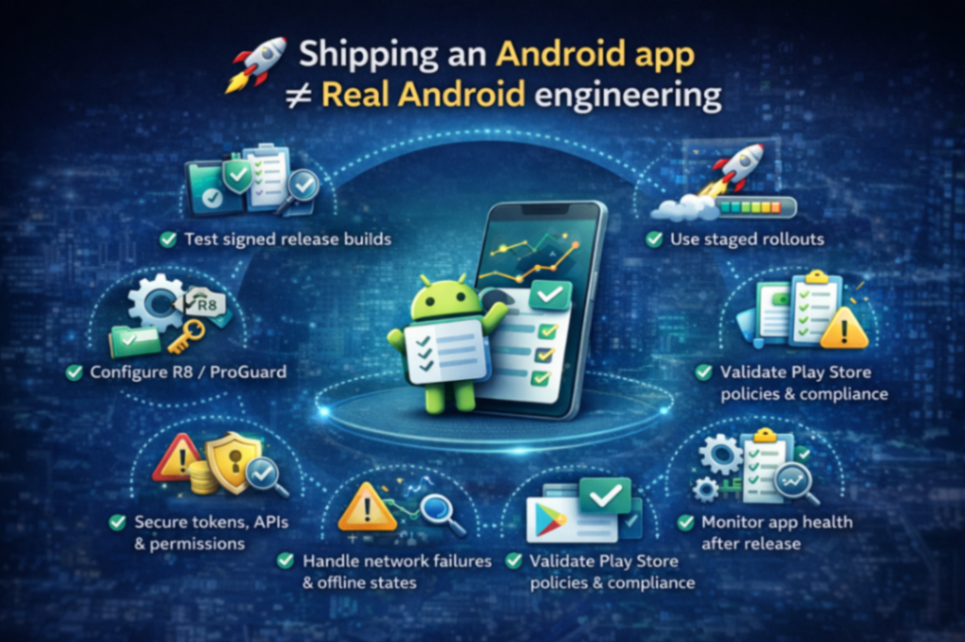
🚀 Production-Level Android App Launch Checklist
What every Android developer must do before shipping an app to users
Shipping an Android app is not about completing features or polishing UI.
Real Android engineering starts at release time.
Most apps:
Work perfectly in debug
Break silently in release
Get 1★ reviews within hours
Or crash only on real users’ devices
This article is a production-level checklist based on real industry practices—the things interviewers expect senior developers to know and companies expect you to handle independently.
Why Many Android Apps Fail After Launch
Before the checklist, let’s be honest about why apps fail:
Release-only crashes due to R8
ANRs on low-end devices
App size too large → poor installs
Broken login or blank screens
Backend change breaks older app versions
No observability → blind debugging
Security assumptions that don’t hold in real world
👉 Most of these issues never appear in debug builds
1️⃣ Release Build Is a Different App (Understand This First)
Debug and Release builds behave very differently.
Debug Build | Release Build |
No shrinking | R8 enabled |
Full symbols | Obfuscated code |
Logs visible | Logs stripped |
Easier debugging | Hard to trace issues |
Slower | Optimized & faster |
Key Reality:
If you haven’t tested release builds properly, you haven’t tested your app.
2️⃣ R8, ProGuard & Shrinking (Most Common Failure Point)
Must-do checklist:
Enable R8 for release
Add proper -keep rules for:
Gson / Moshi models
Reflection-based libraries
DI frameworks
Test signed release APK/AAB
Verify mapping.txt is generated and uploaded
Common real-world bug:
App crashes only in production because R8 removed a class accessed via reflection.
If you don’t understand this—you are not production-ready.
3️⃣ Crash, ANR & Logging Strategy (Non-Negotiable)
Before launch, ensure:
Firebase Crashlytics integrated
ANR reporting enabled
Non-PII logs added at critical flows
API failures are logged meaningfully
You must be able to answer:
How do you debug a crash without logs?
How do you trace a user flow post-release?
If the answer is “reproduce locally” — that’s junior thinking.
4️⃣ App Performance & Stability Checks
Performance is not optional.
Checklist:
App startup time < industry threshold
No main-thread blocking
Heavy work moved off UI thread
Lazy loading where applicable
Memory leaks checked (LeakCanary / profiler)
Common production ANR causes:
Network call on main thread
Large JSON parsing
Infinite recomposition (Compose)
Database queries blocking UI
5️⃣ Network & Backend Safety
Your backend will fail. Plan for it.
Must handle:
API timeouts
Partial failures
Empty / malformed responses
Backward compatibility for old app versions
Production rule:
Never assume backend data is correct.
6️⃣ Offline, Edge Cases & UX Failures
Users don’t use apps in perfect conditions.
Checklist:
No internet handling
Slow network UI states
Empty states (not blank screens)
Retry actions
Graceful error messages
Blank screen = guaranteed uninstall.
7️⃣ Security: Beyond Obfuscation
Obfuscation ≠ Security.
Production checklist:
No API keys in code
Token expiry handling
Backend validation
Over-permission audit
SSL / HTTPS enforcement
If someone reverse-engineers your APK, how much damage can they do?
That’s the real security question.
8️⃣ Play Store Compliance Checklist
Most devs ignore this until rejection.
Before launch:
Privacy policy linked
Data Safety form matches actual behavior
No unnecessary permissions
App description is honest
App works without mandatory signup (unless justified)
Rejection delays launches by days or weeks.
9️⃣ Rollout Strategy (Senior Practice)
Never release to 100% users directly.
Proper flow:
Internal testing
Closed testing
Open testing
Staged rollout (5% → 20% → 100%)
If crashes spike → halt rollout immediately.
🔟 Observability After Launch (This Is Engineering)
Once live, monitor:
Crash-free users %
ANR rate
App startup time
Feature usage
API failure rate
Shipping is step one.
Monitoring is where engineers earn their salary.
Interview Perspective: What Seniors Are Expected to Know
Interviewers often ask:
How do you handle release-only crashes?
How do you debug ANRs in production?
How do you reduce APK size?
How do you monitor app health post-launch?
This checklist answers all of them.
Final Mindset ShifT
Building features makes you a developer.
Shipping stable apps makes you an engineer.
Production readiness is not optional at senior levels.
Want more?
Deep dives on R8 & release crashes
Mobile System Design sessions
Interview-focused Android content
👉 Join the waitlist / follow for real-world Android engineering
Comments (0)
No comments yet. Be the first to share your thoughts!
Leave a Comment
Get the latest updates
Join our newsletter and never miss an article.