How Swiggy / Zomato Live Order Tracking Works — Android System Design Explained
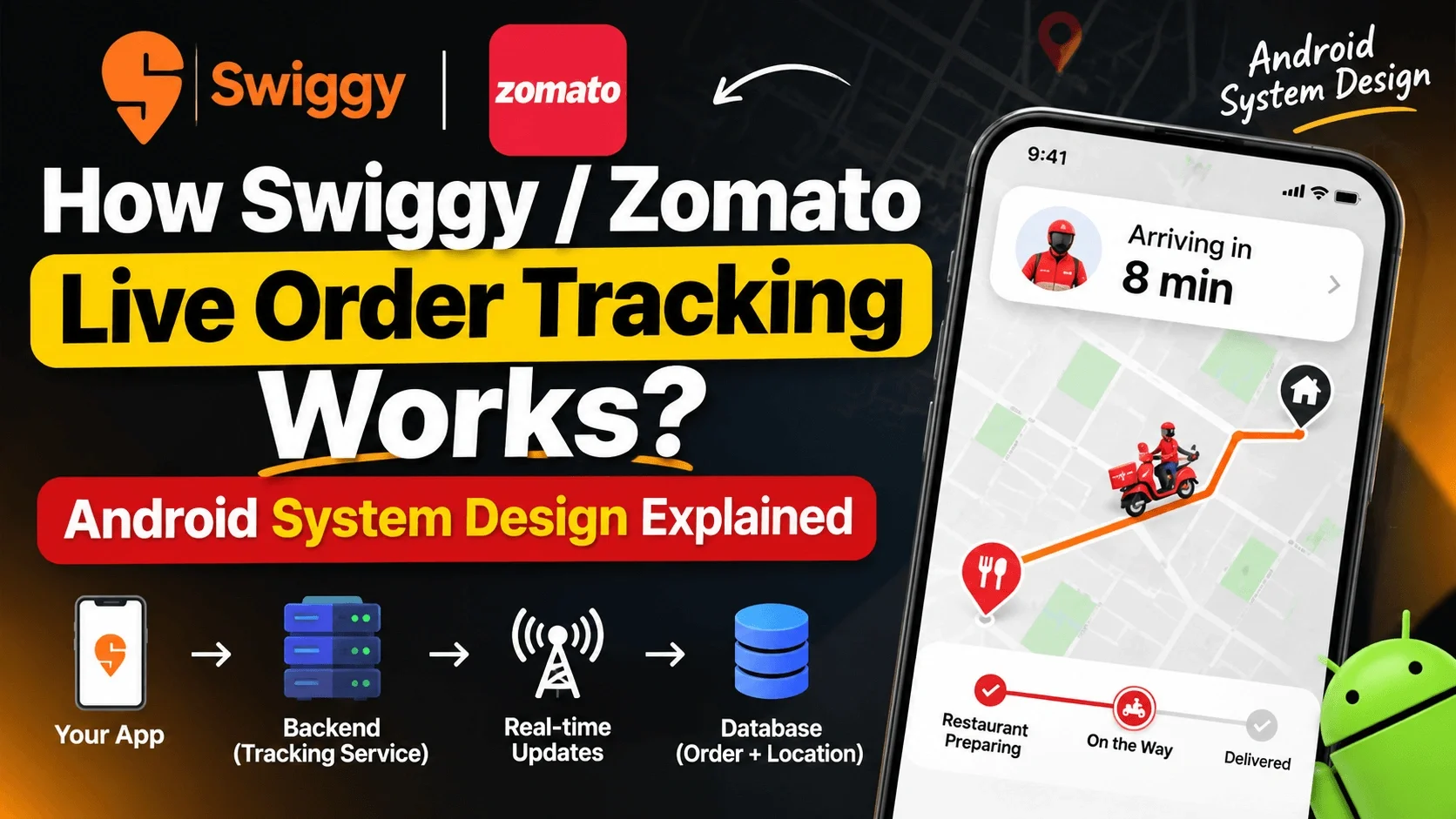
When you order food on Swiggy or Zomato, you see a small bike icon moving on the map. It looks simple, but behind the scenes, several systems work together: GPS, backend services, Redis, Kafka, WebSocket, Google Maps SDK, and ETA calculation.
This article explains live order tracking step by step, from an Android developer’s perspective.
1. What Is Live Tracking?
Live tracking means the customer can see the delivery partner’s current location, movement, and estimated delivery time on their phone.
The basic flow is:
Delivery Partner App
↓ GPS location
Backend Location Service
↓ validate + process
Redis + Kafka
↓ latest location + events
Tracking Service
↓ real-time push
Customer App
↓ Google Map + animation
Customer ScreenThe customer only sees a moving marker. In reality, the delivery partner’s phone sends location updates, the backend processes them, and the customer app receives real-time updates.
2. Where Does the Rider’s Location Come From?
The delivery partner’s Android app uses the device’s location services to capture the rider’s position.
On Android, apps commonly use the Fused Location Provider. It combines signals such as GPS, Wi-Fi, cell towers, and sensors to provide a useful location fix while balancing accuracy and battery usage.
From the Fused Location Provider, the app can get:
Latitude
Longitude
Timestamp
Accuracy
Speed
Bearing, meaning direction
Example:
Latitude: 28.6139
Longitude: 77.2090
Timestamp: 10:00:00
Accuracy: 10 meters
Speed: 25 km/h
Bearing: North-EastFor Android developers, the important class is FusedLocationProviderClient. It is the main entry point for the Fused Location Provider and requires either ACCESS_FINE_LOCATION or ACCESS_COARSE_LOCATION. For continuous background tracking, apps generally need ACCESS_BACKGROUND_LOCATION or a foreground location service.[developers.google]
The delivery partner app sends this location to the backend every few seconds—for example, every 5 or 10 seconds.
3. How Does the Backend Process the Location?
When the backend receives a location update, it does not directly send it to the customer. First, it validates and processes the location.
The backend checks:
Whether the coordinates are valid
Whether the timestamp is fresh or stale
Whether GPS accuracy is acceptable
Whether the location jump is realistic
Whether the rider is connected to that order
For example, if a rider’s location suddenly moves 5 km in one second, the update may be noisy or incorrect GPS data. The backend can filter such updates.
Role of Redis
Redis is a fast in-memory data store. In live tracking, Redis is commonly used to store the latest location for an order.
Key: order:12345:latest_location
Value: latitude, longitude, timestamp, speedBecause Redis keeps data in memory, reading the latest location is very fast. When the customer app needs the current position, the system can quickly return the latest stored location.
Role of Kafka
Kafka is an event-streaming platform. Every location update can be treated as an event.
{
"orderId": "12345",
"riderId": "rider_98",
"lat": 28.6139,
"lng": 77.2090,
"timestamp": "10:00:05",
"speed": 22
}Kafka can distribute these events to multiple services:
Tracking service
ETA service
Analytics service
Notification service
Fraud detection service
In simple terms:
Redis stores the latest location for fast reads.
Kafka streams location events to services that need them.
4. How Does the Customer App Receive Updates?
The customer app needs to receive the rider’s location repeatedly. There are two main approaches.
Polling
In polling, the customer app repeatedly asks the server:
Customer App: “Where is the rider?”
Server: “Here is the location.”
Customer App after 2 seconds: “Where is the rider now?”
Server: “Here is the new location.”This works, but it is inefficient. Even if the location has not changed, the app keeps making network requests. This can increase battery usage, data usage, and server load.
WebSocket
A WebSocket provides a persistent, two-way connection. Once connected, the server can push location updates directly to the customer app.
Customer App ↔ Server WebSocket Connection
Server → Customer App:
“New rider location: 28.6139, 77.2090”With WebSocket, the customer app does not need to keep asking for updates. Whenever the backend receives a new location, it can push it to the relevant customer’s connection.
That is why WebSocket is more suitable for real-time tracking.
5. Why Does the Bike Move So Smoothly?
GPS updates do not arrive every second. Suppose the rider’s location arrives every 5 seconds:
Location A: 10:00:00
Location B: 10:00:05If the app moves the marker directly from Location A to Location B, the movement will look jerky. The bike may appear to stop and jump.
To solve this, the Android app uses interpolation.
Interpolation means calculating intermediate positions between two known points. If the rider is moving from Location A to Location B, the app can smoothly animate the marker over the 5-second interval.
A → A1 → A2 → A3 → BIn the Google Maps SDK for Android, markers are added using GoogleMap.addMarker() and customized using MarkerOptions. Marker updates must be performed on the Android UI thread.
So technically:
GPS provides real positions.
The backend pushes the latest location.
The Android app performs interpolation.
The Google Map marker moves smoothly.
The user feels the bike is moving continuously, even though actual GPS updates arrive at intervals.
6. How Is ETA Calculated?
ETA means Estimated Time of Arrival. It tells the customer approximately when the delivery will arrive.
ETA is not calculated using distance alone. The ETA service considers multiple factors:
Rider’s current location
Customer’s destination
Route distance
Road conditions
Live traffic
Weather conditions
Rider speed
Restaurant preparation time
Multiple orders or pickup stops
Example:
Rider is 3 km away from the restaurant
Traffic is normal
Expected speed: 20 km/h
ETA: around 9 minutesBut if traffic becomes heavy:
Traffic is heavy
Expected speed: 10 km/h
ETA: around 18 minutesThat is why the estimated delivery time sometimes increases or decreases. It is not necessarily a bug; the ETA is recalculated dynamically.
7. Complete Architecture
1. Delivery Partner Android App
└── Fused Location Provider
└── Captures GPS location
└── Sends location updates to backend
2. Location Service
└── Validates location
└── Filters stale or unrealistic updates
└── Sends processed location forward
3. Redis
└── Stores order-wise latest location
└── Provides fast read/write access
4. Kafka
└── Streams location events
└── Sends updates to multiple services
5. Tracking Service
└── Maps orders and riders
└── Manages customer-specific tracking
6. WebSocket Server
└── Maintains persistent connection with customer app
└── Pushes new location updates
7. Customer Android App
└── Receives location through WebSocket
└── Updates marker on Google Map
└── Uses interpolation for smooth movement
└── Shows ETA on screenA simple architecture diagram:
Delivery Partner App
│
│ Location updates
▼
Location Service
│
├──────────────┐
▼ ▼
Redis Kafka
latest event streaming
location │
│ ├──> ETA Service
│ ├──> Analytics Service
▼ └──> Notification Service
Tracking Service
│
│ WebSocket push
▼
Customer Android App
│
▼
Google Maps + Marker Animation + ETA8. What Does an Android Developer Implement?
Delivery Partner App
Handle location permissions
Get location using the Fused Location Provider
Handle background location tracking
Send location updates to the backend
Write network-failure and retry logic
Optimize battery usage
For continuous updates, the app can use requestLocationUpdates(). For a single fresh fix, getCurrentLocation() is recommended because it provides a fresher location while managing power more safely.[developer.android][developers.google]
Customer App
Establish a WebSocket connection
Receive location events
Show the marker on Google Maps
Smoothly animate the marker
Update the ETA UI
Reconnect when the connection drops
Handle stale location data
Important Android Concepts
Concept | Why It Is Important |
|---|---|
Fused Location Provider | Provides accurate and battery-efficient location |
Foreground Service | Helps track the rider while the app is in the background |
WebSocket | Receives real-time location updates |
Google Maps SDK | Displays the map and marker |
Interpolation | Makes marker movement smooth |
Lifecycle awareness | Manages resources when the app goes to background or foreground |
Reconnection logic | Recovers tracking after network issues |
9. How to Explain This in an Interview?
If an interviewer asks, “How does Swiggy/Zomato live tracking work?”, answer in this order:
The delivery partner app gets location using the Fused Location Provider.
The app sends periodic location updates to the backend.
The backend validates the location.
Redis stores the latest location.
Kafka streams location events to other services.
The tracking service manages order-specific location updates.
WebSocket pushes real-time location to the customer app.
The customer app updates the marker on Google Maps.
Interpolation makes the marker movement smooth.
The ETA service calculates delivery time using traffic, route, and rider location.
A strong one-line answer:
“Live tracking is a real-time, event-driven system where the rider app publishes GPS updates, the backend validates and stores the latest location, streams events through Kafka, and pushes updates to the customer app over WebSocket. The customer app then renders smooth marker movement on Google Maps and displays a dynamically recalculated ETA.”
10. Common Mistakes to Avoid
Rendering every GPS update directly on the UI
Making the marker jump instead of animating it
Treating polling as real-time tracking
Ignoring location accuracy and timestamp
Ignoring battery impact during background tracking
Not handling WebSocket disconnects and reconnects
Calculating ETA using only distance
Mixing up the roles of Redis and Kafka
Remember:
GPS provides the location, but a smooth live-tracking experience needs backend architecture, real-time communication, and UI animation working together.
Swiggy or Zomato live tracking is not just “showing GPS on a map.” It is a complete real-time system:
Fused Location Provider provides location
Backend validates and processes it
Redis stores the latest location
Kafka streams events
WebSocket pushes real-time updates
Google Maps SDK renders the location
Interpolation makes movement smooth
ETA service calculates delivery time
For an Android developer, this is not just a feature—it is one of the best examples of thinking like a system designer.
Comments (0)
No comments yet. Be the first to share your thoughts!
Leave a Comment
Get the latest updates
Join our newsletter and never miss an article.